• Events and Webinars
  • Resources
    • Blog
    • Case Studies
    • News
    • Newsletter
    • Infographics
    • Papers
    • Posters
    • Video
  • Careers
    • Careers at HBS
    • Open Positions
    • Student Opportunities
  • About HBS
    • About Us
    • Leadership
    • Locations
    • Partners
    • Green Initiatives
  • Events and Webinars
  • Resources
    • Blog
    • Case Studies
    • News
    • Newsletter
    • Infographics
    • Papers
    • Posters
    • Video
  • Careers
    • Careers at HBS
    • Open Positions
    • Student Opportunities
  • About HBS
    • About Us
    • Leadership
    • Locations
    • Partners
    • Green Initiatives
HBS logo
HBS Logo
  • Infrastructure
    • CLOUD

      • Cloud Solutions
      • Public Cloud
      • Hybrid Cloud
      • Infrastructure as a Service
      • Cloud Security Solutions
      • Backup, Replication and Disaster Recovery
      • HBS Cloud Hosting Services

      DATA CENTER

      • Data Center Solutions
      • Traditional Data Center
      • Hyperconverged
      • Colocation
      • Directory Services
      • Cloud Email and Calendar Solutions

      NETWORK AND ACCESS

      • Network Infrastructure
      • Enterprise Mobility
      • Wireless Solutions
      • SD-WAN
      • Structured Cabling
      • Staff Augmentation
  • Managed Services
    • MANAGED ONE

      • Managed One Overview
      • Managed Backup and Disaster Recovery
      • Managed Email and Collaboration Security
      • Managed Firewall


      • Managed HaaS and SaaS
      • Managed IT Help Desk
      • Managed Network and Server Monitoring

      HBS + PARTNER SOLUTIONS

      • HBS Secure with Verkada
      • HBS Collaborate with Webex
      • Managed XDR
      HBS Managed One Megamenu Graphic
  • Modern Workplace
    • MICROSOFT

      • Microsoft Licensing Management
      • Microsoft Modern Workplace
      • Microsoft Copilot
      • Microsoft Fabric
      • Microsoft Funding Opportunities


      • Dynamics 365 Business Central
      • Dynamics 365
      • Dynamics GP

      COLLABORATION

      • Audio Visual
      • Unified Communication Solutions
      • HBS Collaborate with Webex
  • Professional Services
    • ADVISORY

      • Virtual CISO
      • Virtual CIO
      • Project Management
      • IT Business Consulting

      ENGINEERING SERVICES

      • Staff Augmentation

      AI & ANALYTICS

      • Artificial Intelligence
      • AI Advance
      • AI Predict
      • AI Assist
      • Data Management and Analytics
      • Microsoft Copilot
      • Microsoft Fabric

      APPLICATION INNOVATION

      • Website Development
      • Application Development

      DOCUMENT MANAGEMENT

      • Document Management Services
      • Document and Check Scanners
  • Security
    • CYBERSECURITY

      • Managed XDR
      • Penetration Testing
      • Vulnerability Scanning
      • Email Security Services
      • Digital Forensics and Incident Response
      • Backup, Replication and Disaster Recovery
      • Firewalls
      • Cloud Security Solutions


      • Virtual CISO
      • Virtual Security Team
      • Virtual Security Engineer
      • Cybersecurity Risk Assessment
      • Governance and Compliance
      • SOC 2
      • CMMC
      • Managed Security Awareness Training

      PHYSICAL SECURITY

      • Security Solutions
      • HBS Secure with Verkada
      Cybersecurity Risk Assessment Megamenu Graphic
  • Search
Contact Us
Blog

How to Get the Most Out of Your IT Audit

  • Written by: Megan Howard
  • August 30, 2016
IT Audit Magnifying Glass Graphic

Over the years, audits have gotten a pretty bad rap. They can take a long time and seem only to point out everything you’re doing wrong, not to mention the million others things they pile on your to-do list. IT audits don’t have to be that way however, nor should they be. There are many positives that come from audits.

Here are some tips to help get the most out of your next IT audit.

Select a Qualified Auditor

You may not have the choice of whether or not to be audited, but you do get to choose who conducts the IT audit. Select a firm with experience and knowledge. Audits are a great way to learn new threats, technologies, vulnerabilities, etc., so be sure to select an auditor that is willing to help you learn. Find a firm that is quick to respond and is open for discussions and questions.

Assign an Audit-Owner

Identify an individual from your organization to lead the audit efforts. This individual should be the ”go-to” person responsible for compiling documentation, communicating with the auditor, redirecting requests and being available while the auditor is onsite. Identifying an audit-owner to track documents and requests will help the audit move along efficiently. It’s also important to remember the auditor’s progress is dependent upon the audit-owner’s responses. Make sure this individual has time dedicated to the engagement.

Be Prepared

Some auditors will request documentation prior to arriving onsite. Be prepared to provide them with as much as you can. Of course, there will be some items that must remain onsite due to availability or confidentiality; so, make sure to have those ready when the auditor arrives. Also, remember that prepping for an IT audit is an ongoing process. If you’re scrambling last minute to throw everything together, you can expect the audit to take much longer. Compile documentation and evidence throughout the year, and save it in a central location so it can easily be found.

Another part of being prepared is understanding the audit process and what to expect. Make sure the auditor has outlined a clear plan for your organization. This should include a schedule and timeline.

Ask Questions

Auditors know that most people are not IT experts. Many of you are probably Vice President or Compliance Officer or even HR manager, as well as tasked with leading IT decisions. If you don’t understand something, ask for clarification. The IT world is full of terminology that many find unfamiliar. Don’t be afraid to clarify and validate information. This will help you avoid wasting time gathering incorrect documentation.

The tips above won’t make the audit successful unless you go into the audit with an open mind and a positive, ready-to-learn attitude. Auditors don’t want to be the bad guys. Look at the audit as a way to learn new things and improve your organization.


Top Tips for Developing Effective Security Awareness and Training Programs

Related Content

outsourced project management

An IT Manager’s Guide to a Successful Audit

Learn from this overview of the audit process. Discover how IT management can insert themselves into this process to benefit from the exercise.

Learn More »
Meeting at a Table

The IT Audit Process

Take steps to fully understand the phases of your audit to ensure that you have the appropriate resources and input available at each stage.

Explore More »
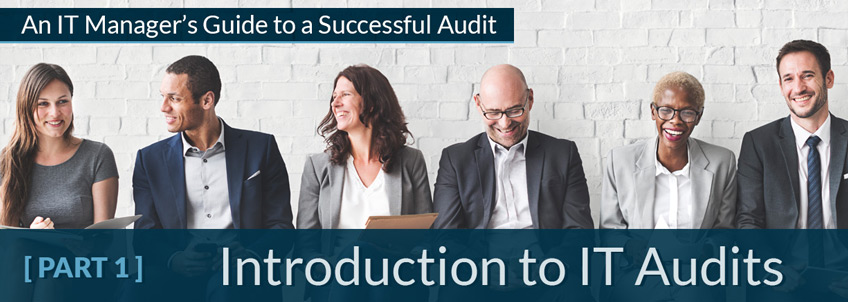
An Introduction to IT Audits Title Over Image of People

Introduction to IT Audits

Read our comprehensive overview of the audit process and how IT management can insert themselves into this process to benefit from the exercise.

Read More »
  • Audits, Risk Assessment
Blog

Connect:

[email protected]  |  800.236.7914

HBS logo

HQ | 1700 Stephen Street
Little Chute, WI 54140
Locations

HBS Remote Support | Service & Technical Support | E-Bill Portal
Standard Terms & Conditions | Cookie Policy | Privacy Policy | Onboarding Form | End User Agreements | E-Bill FAQ | Site Map
Any purchase is governed by the HBS Standard Terms and Conditions.
©2026 Heartland Business Systems. All rights reserved.

Halo from HBS
This chat may be recorded as described in our Privacy Policy.